VR RETAIL RESEARCH
Build it on a screen, walk it in VR
At ReadySet, brands test new shelf layouts, called planograms, with real shoppers inside a virtual store. As the company's only designer, I designed the whole suite: the tools to build a store on a computer and the controls to walk through it in a headset.
Outcome
- Designed the Planogram Builder from scratch. ReadySet launched it after I left.
- Brought shelf building to the desktop, so anyone could build planograms on a computer, not just people with a headset
- Unified four products into one suite with one design system across VR, desktop and web
- Redesigned the VR controls as a contextual system: it works in either hand and on any headset, scales as features are added, and is far easier to teach first-time users
Behind the work
- Role
- Senior Product Designer, a design department of one, reporting to the VP of Experience
- Team
- 4 Unity developers and 1 front-end developer
- Timeline
- Jan 2021 – Apr 2023
- Platforms
- VR headsets, desktop app, web
- Status
- Planogram Builder launched after I left
One shelf test, four tools
A planogram is the plan for how products are arranged on a store's shelves, and where a product sits is big business. Consumer goods companies put about 20% of their revenue into trade promotions, which include paying retailers for better placement (McKinsey). One snack maker estimated that getting its shelf placement right was worth $52 million a year in sales (Trax). And 71% of in-store purchases are new, lapsed or occasional buys, not routine ones, so the shelf itself sways what people pick (Tesco Media, 2026). With that much at stake, brands want to test a shelf before it reaches a real store.
Where a product sits on the shelf is big business: brands put about 20% of revenue into trade promotions, and the shelf sways most in-store buys.
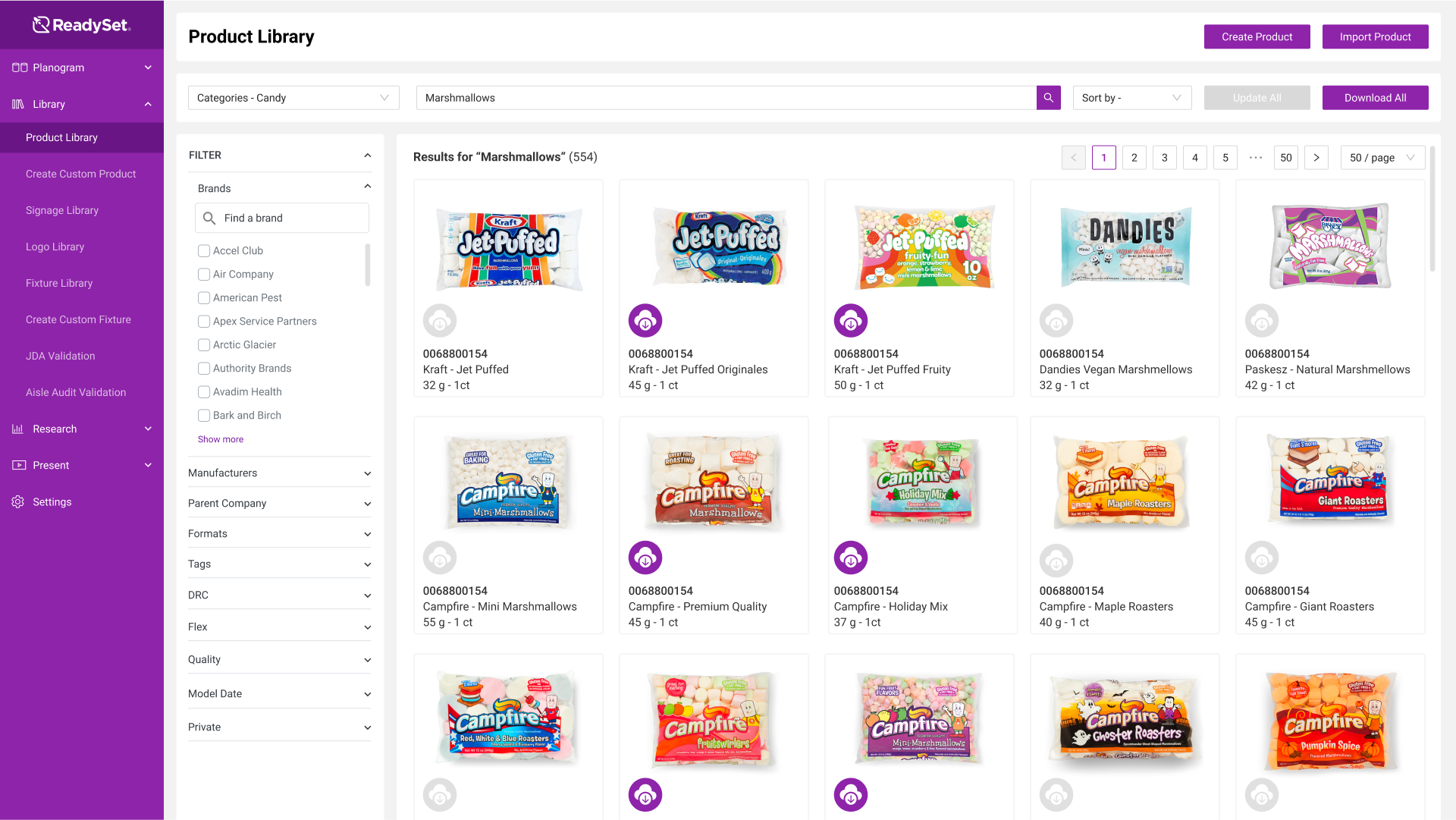
A brand picks products from a library of 25K+ 3D models, lays out the shelf, sets up the study, then runs it with shoppers in VR or online. I designed or redesigned all four tools. The hard part: the same product had to work on a screen with a mouse and inside a headset with your hands.
Brands pick products, lay out the shelf, set up the study and run it in VR or online. I designed all four tools, for both a mouse and a headset.
Bringing shelf building to the desktop
Planograms used to be built by hand inside a VR headset, by ReadySet staff or clients set up with one, and most clients don't own a headset. Most studies were A/B tests, so a project often needed several very similar planograms.
Planograms were built by hand in a VR headset, and most clients don't own one.
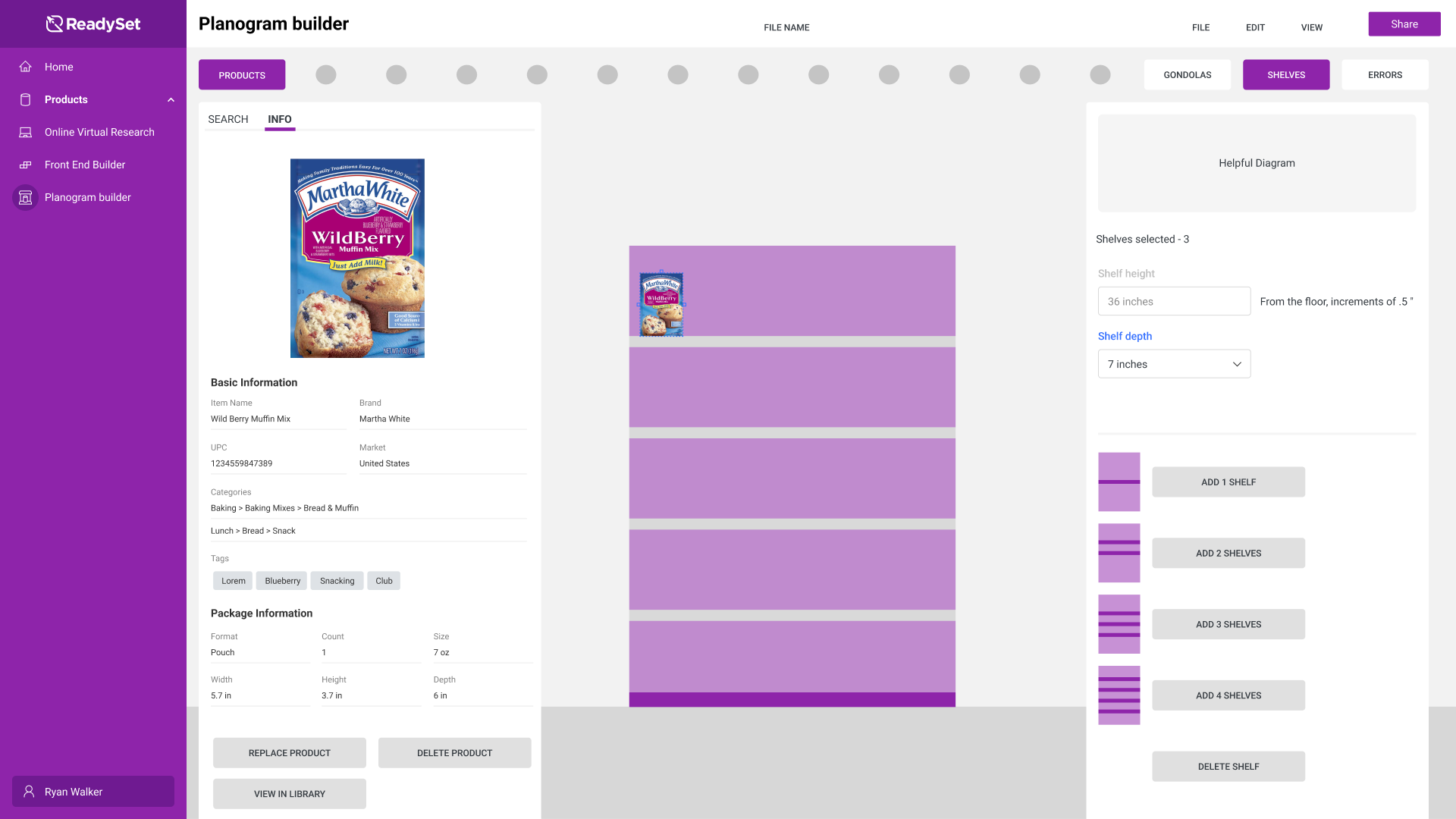
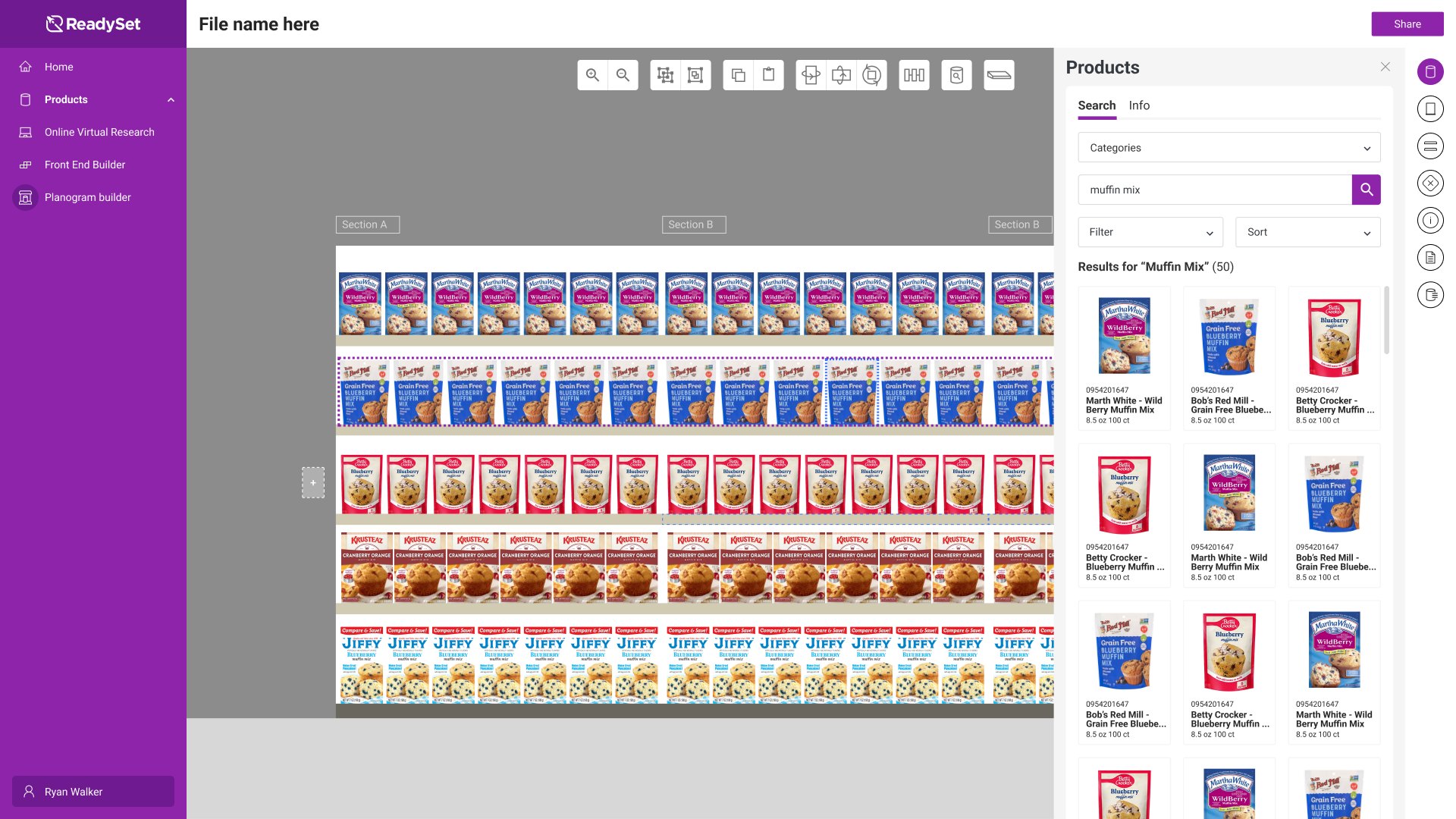
I designed the Planogram Builder from scratch so clients and brand managers could build their own on a computer, while the headset stayed an option for anyone who wanted it. Before drawing screens, I mapped six use cases. Each ends in a planogram being tested or presented, and there are only two ways in: fix one a client sends over, or build a new one.
I designed the Planogram Builder so clients could build their own on a computer, starting from six use cases with only two ways in.
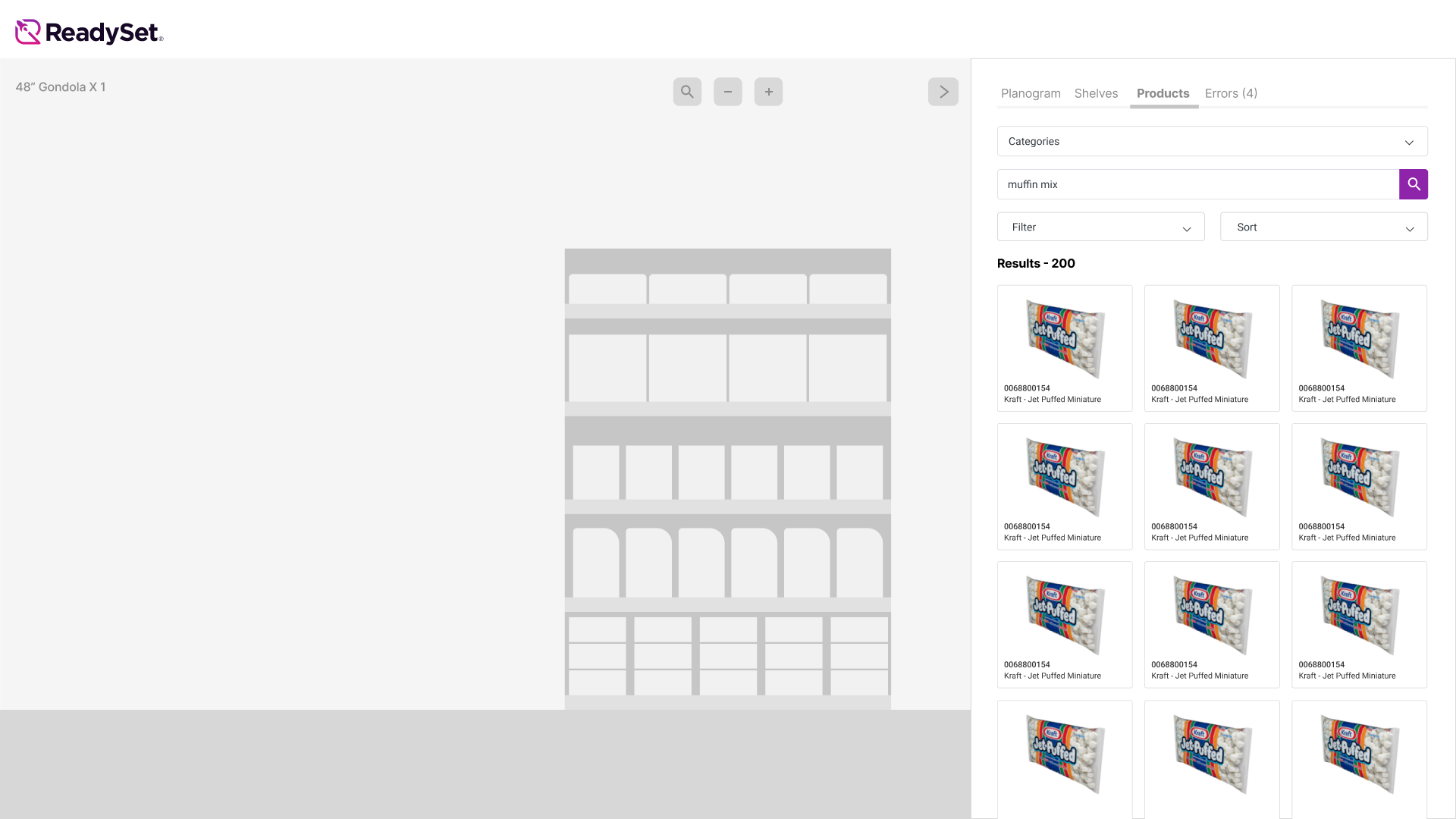
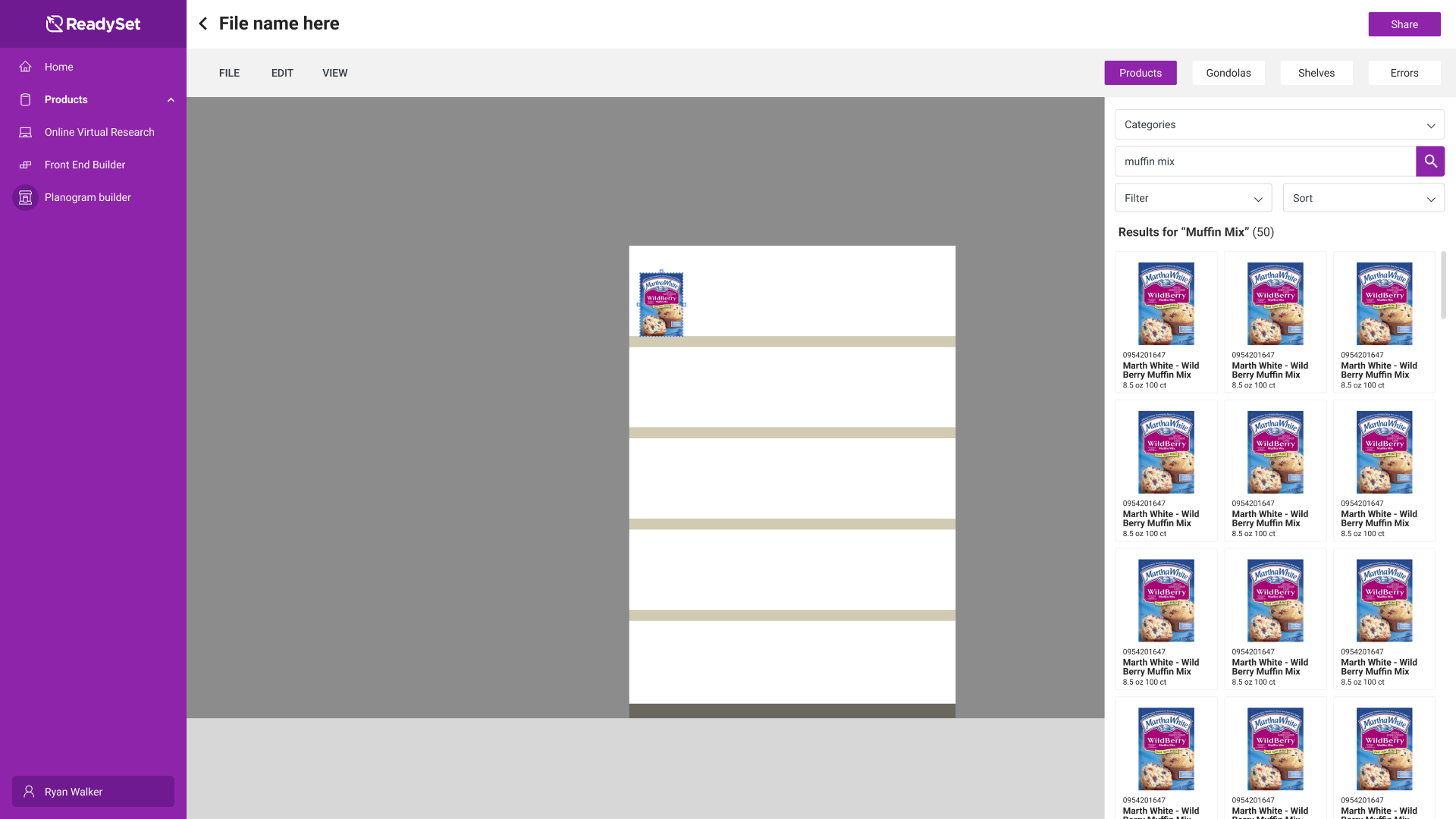
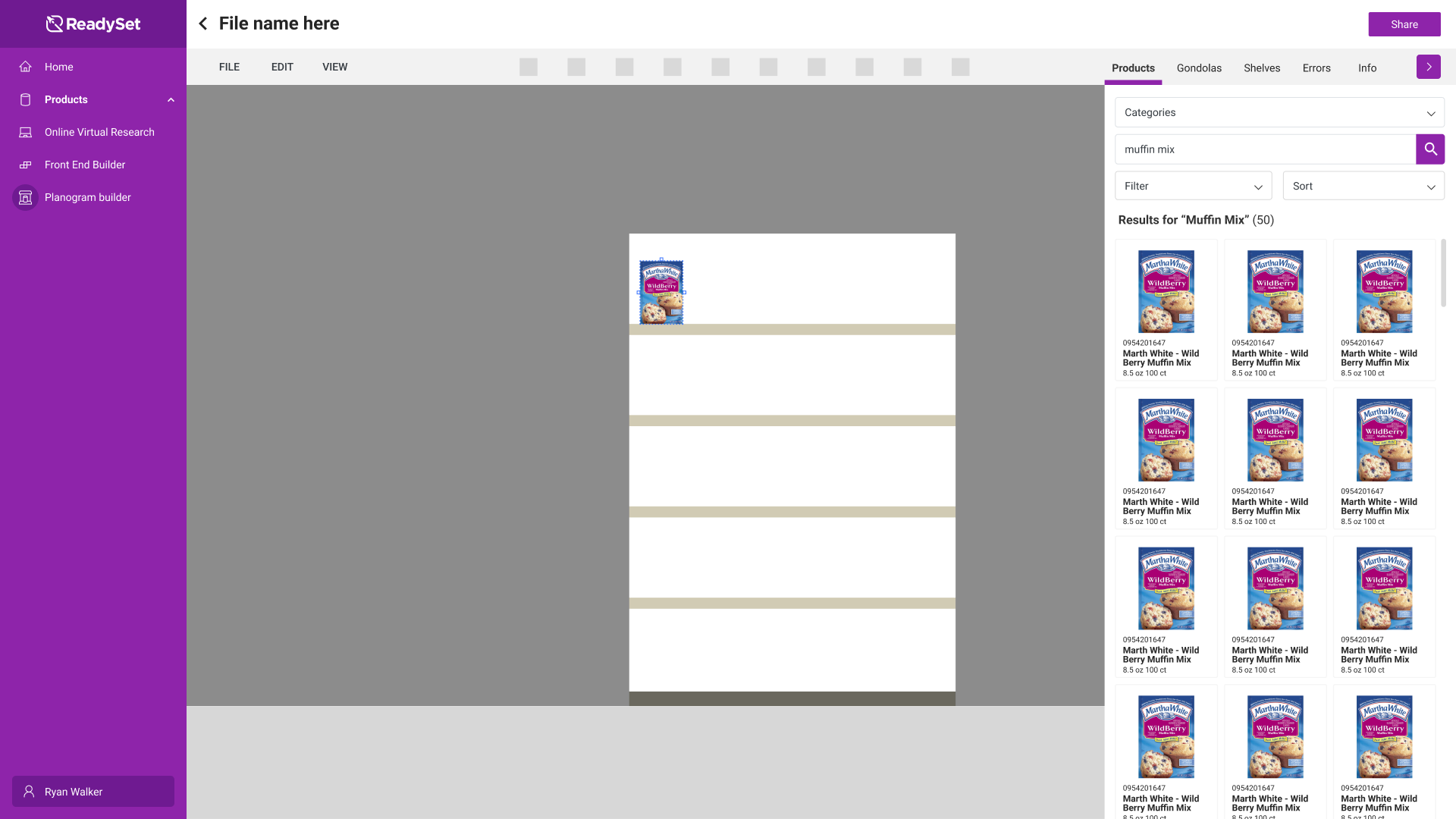
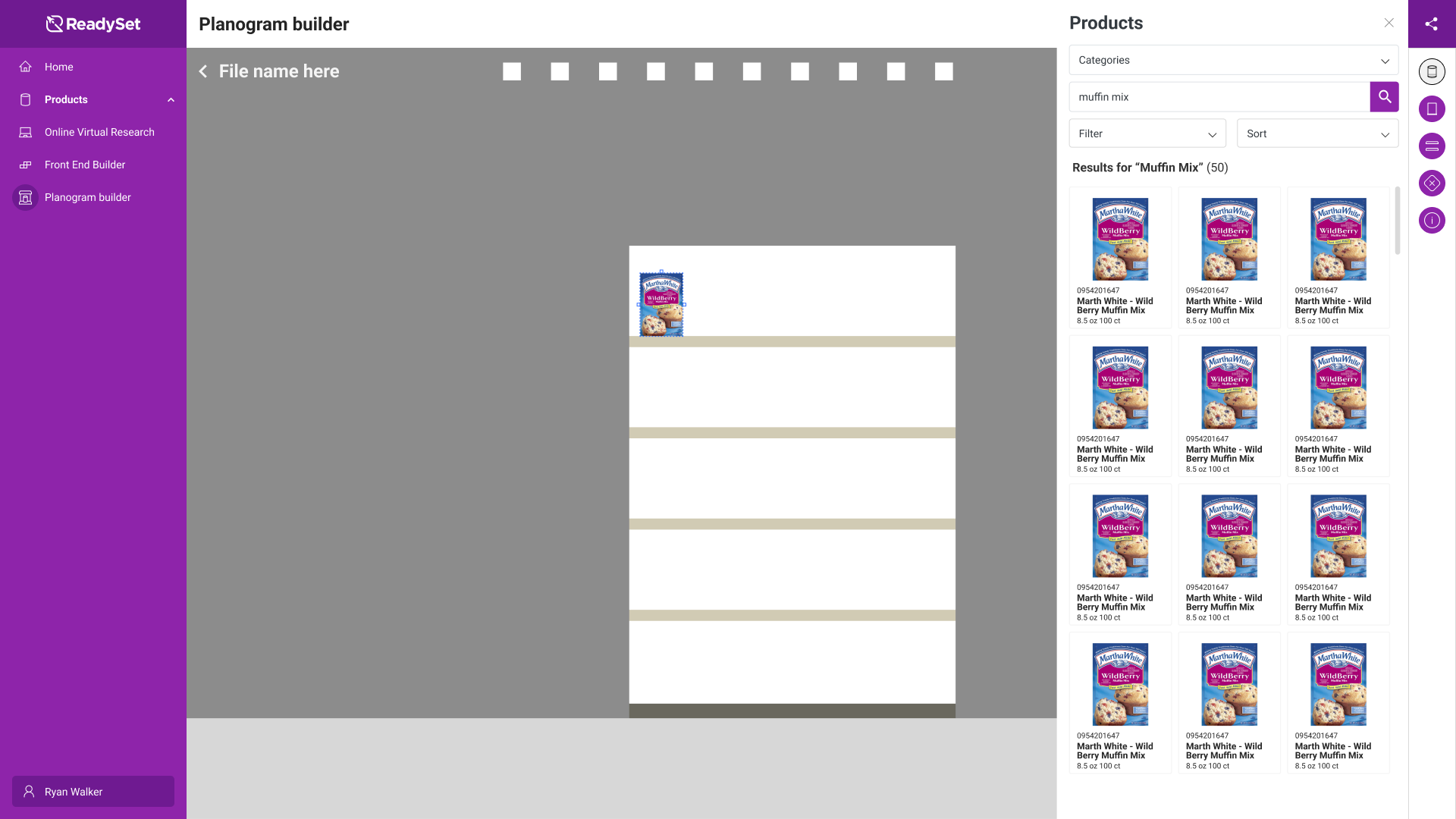
Early layouts lost too much space to a full nav on one side and a panel on the other. The final design gives the shelf as much room as possible: a slim vertical nav opens each panel and closes for a full-screen workspace, with room to add panels later. An Errors tab for fixing imported files was designed as the next step after the MVP.
The final design gives the shelf as much room as possible, with a slim nav that opens each panel.
What really impressed me most was Ryan's ability to think through a problem while focusing on the business goals and user needs and provide multiple solutions.
If you see an action, you can do an action
ReadySet VR had outgrown its controls. Users, including the salespeople who used it every day, said there was too much to learn. Every button did one thing, and we were running out of buttons for the features we planned. And as we added headsets, the old button map stopped making sense on other controllers.
Users said VR had too much to learn, we were running out of buttons, and the button map didn't fit new headsets.
I redesigned the controls around five goals: ambidextrous, easy to teach remotely, headset agnostic, contextual and scalable. Three new concepts carried it:
- 1Laser tag. Point at a button or object and its label appears on the controller, so labels can come off the interface.
- 2Quick menu. The laser is on one hand; tools like Supersize, Screenshot and 360° Photo sit on the other.
- 3Contextual options. Point at a product and its options appear around it: duplicate, backfill, stack, widen, squeeze, delete.
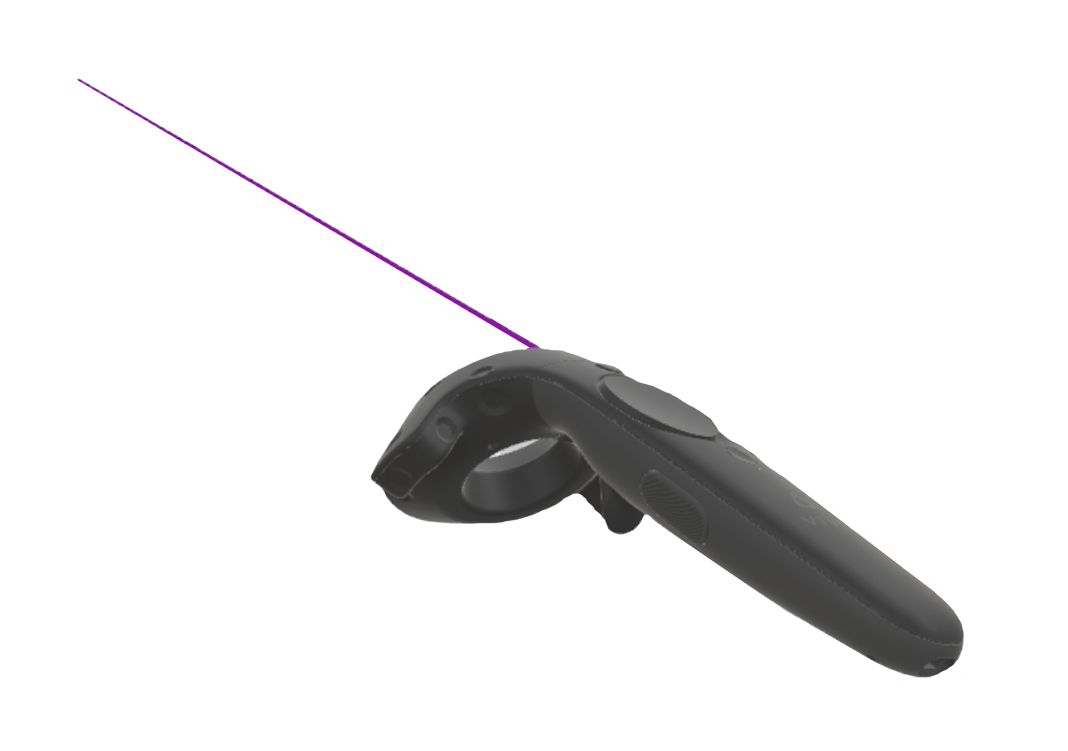
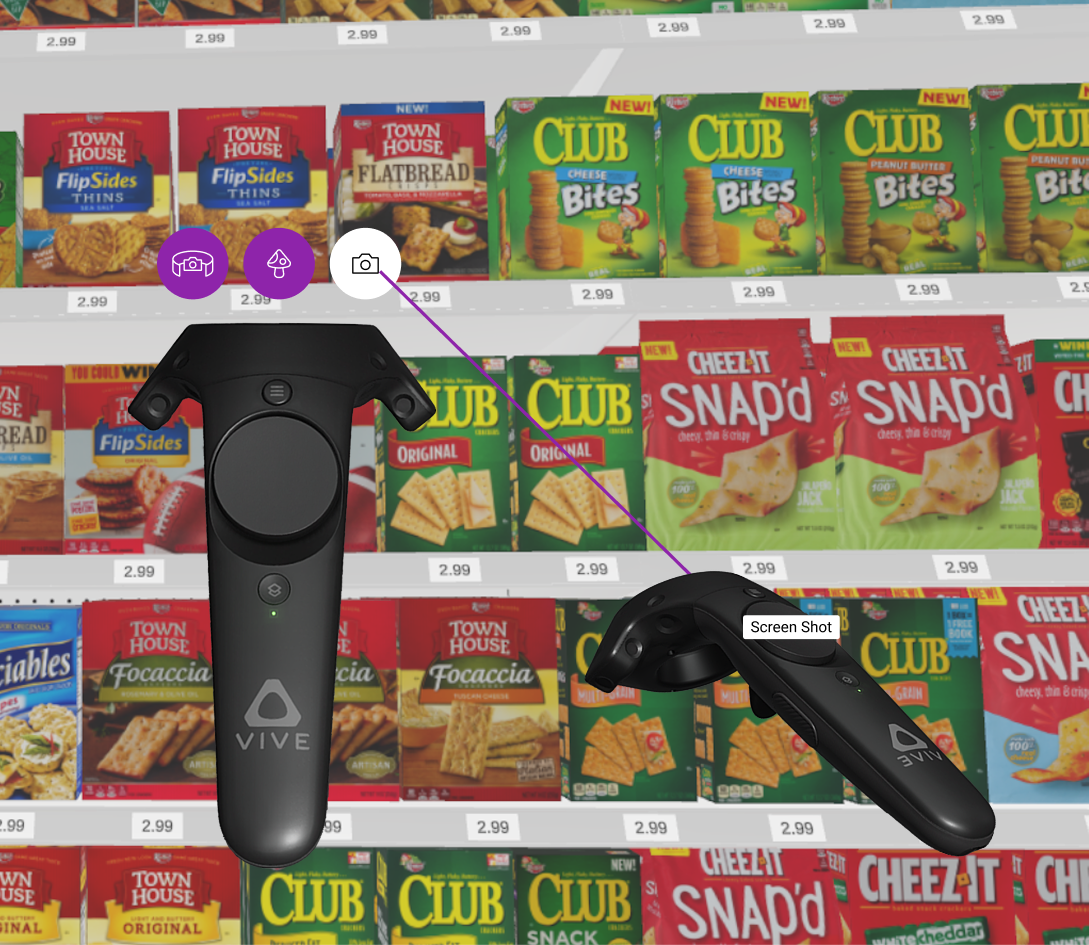
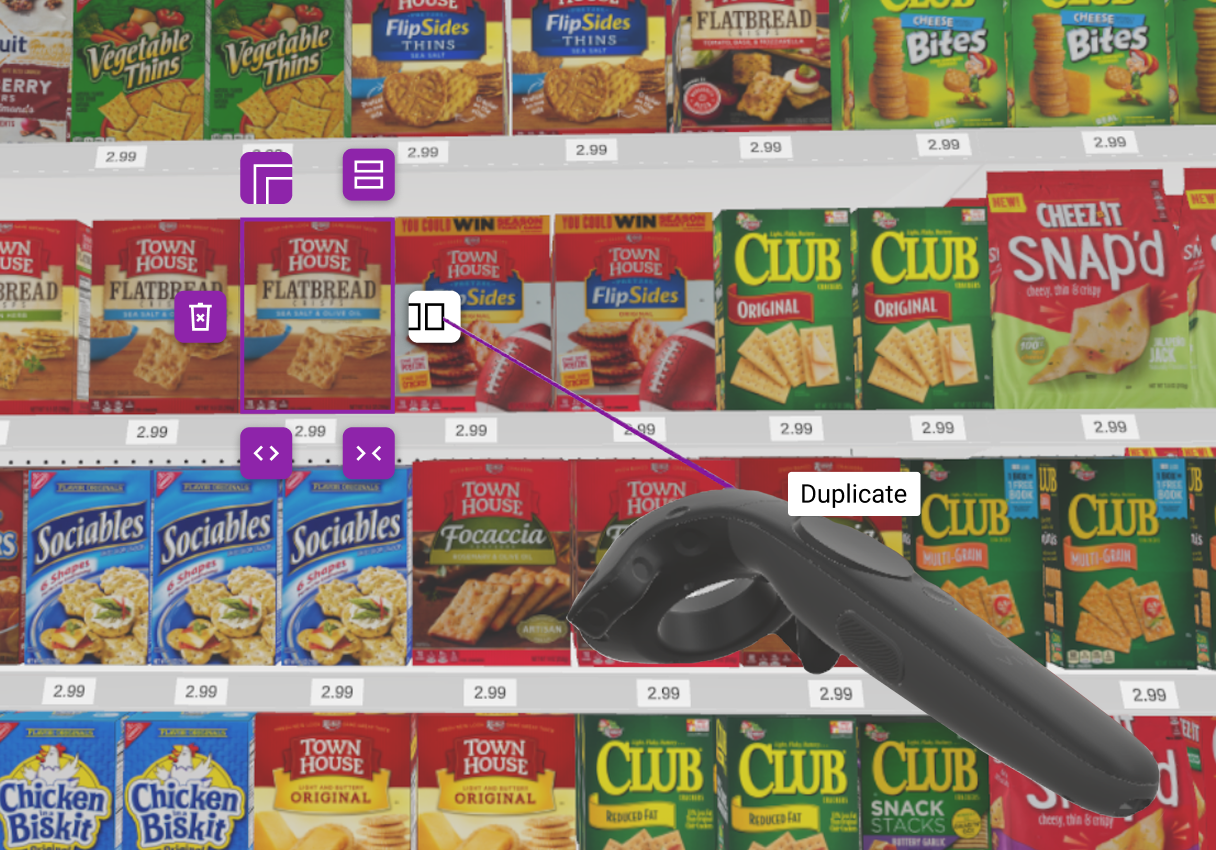
The controls people already knew, like teleport, grab and save, stayed exactly where they were, and now they work on both controllers instead of just one. The new layer sits on top, so no one had to relearn anything.
Familiar controls stayed put and now work on both controllers, so no one had to relearn anything.
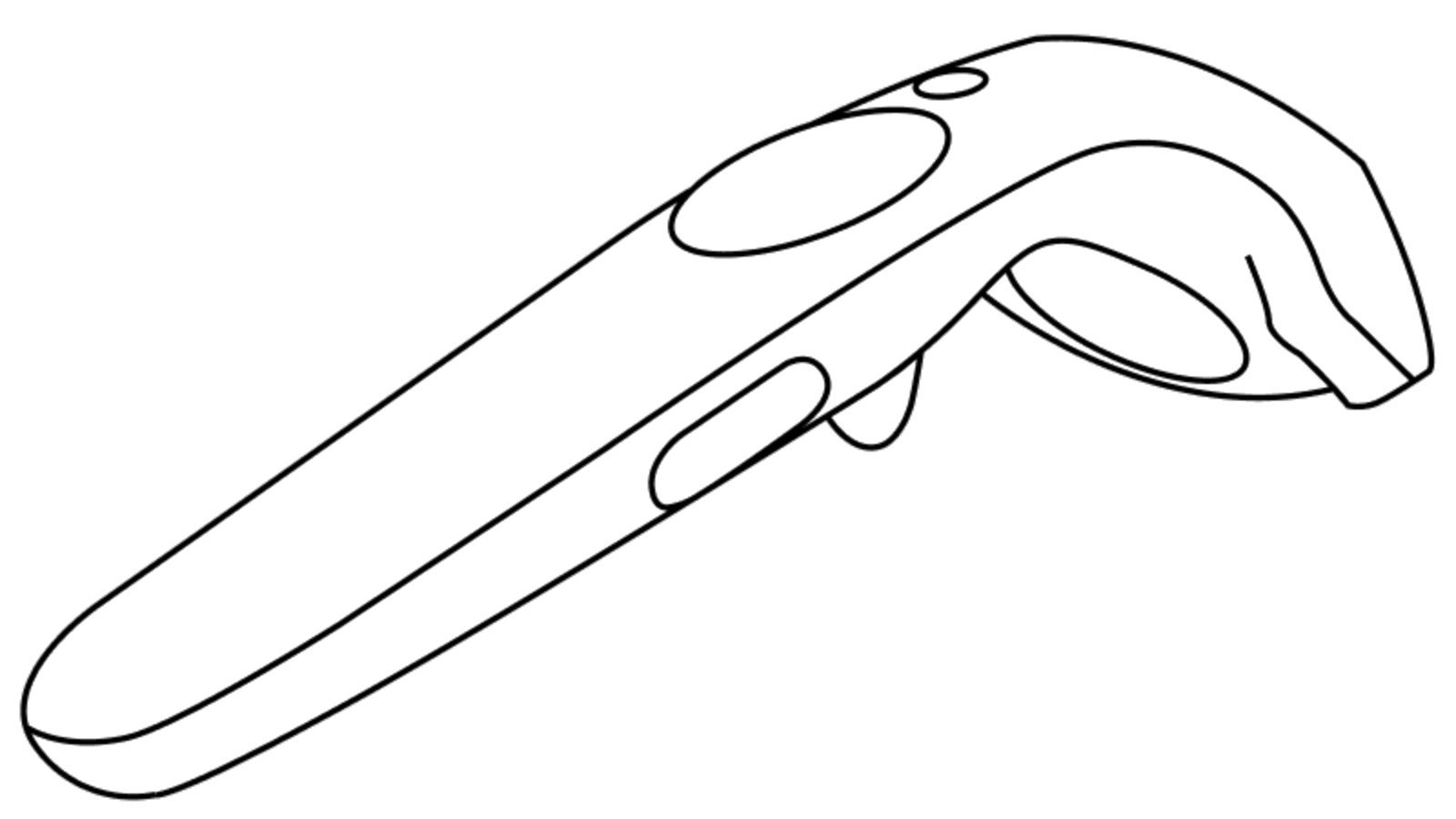 1234
1234
- 1Save menu
- 2Teleport
- 3Product menu
- 4Toggle hints
5678
- 5Screenshot
- 6Backfill, delete, resize, squeeze
- 7Supersize
- 8Interact
1234
- 1Menu buttonSave
- 2TrackpadTeleport
- 3GripOpen the menu
- 4TriggerGrab, select, interact: backfill, delete, resize, squeeze, widen, duplicate, stack
One design system, from screen to headset
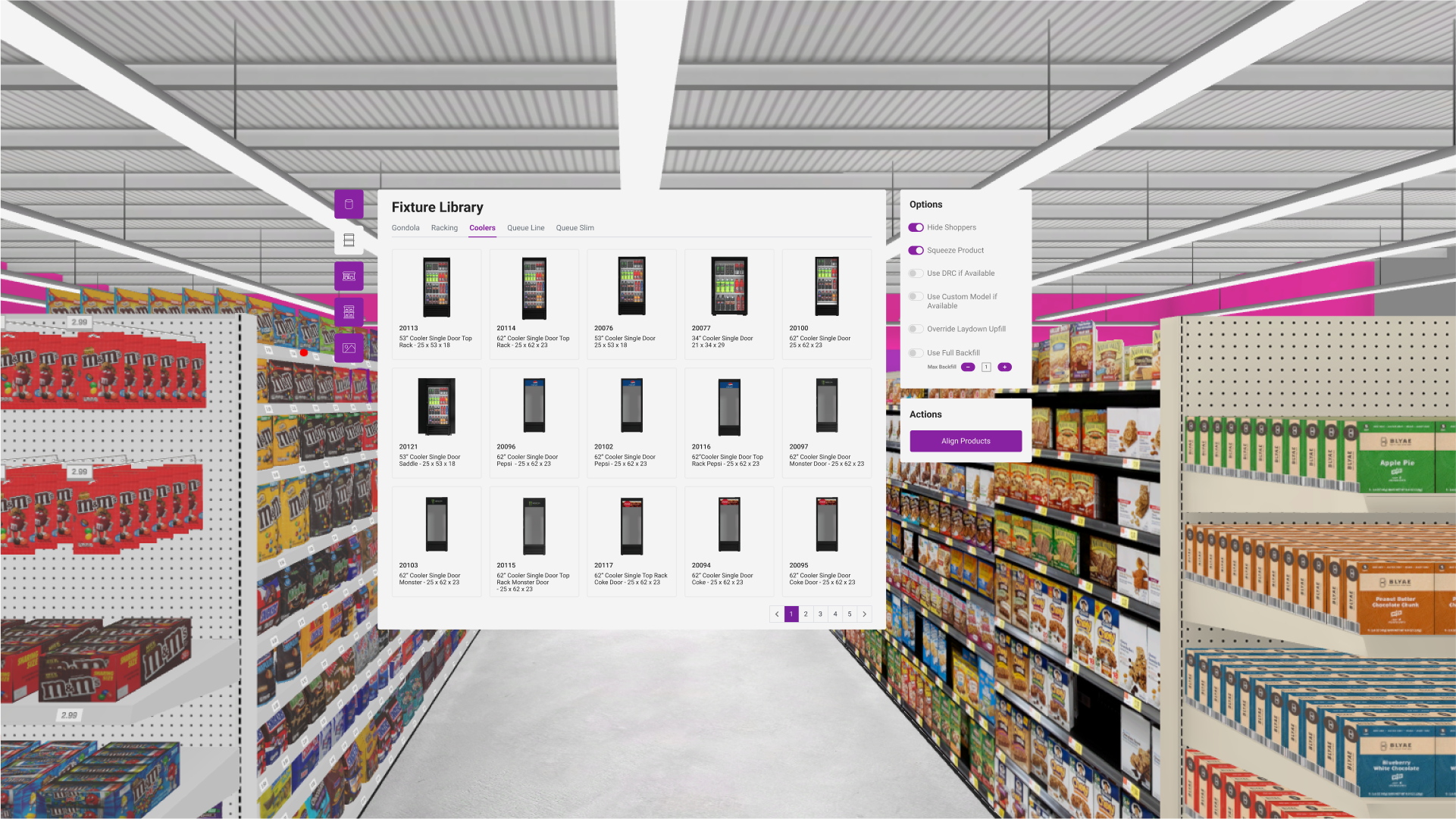
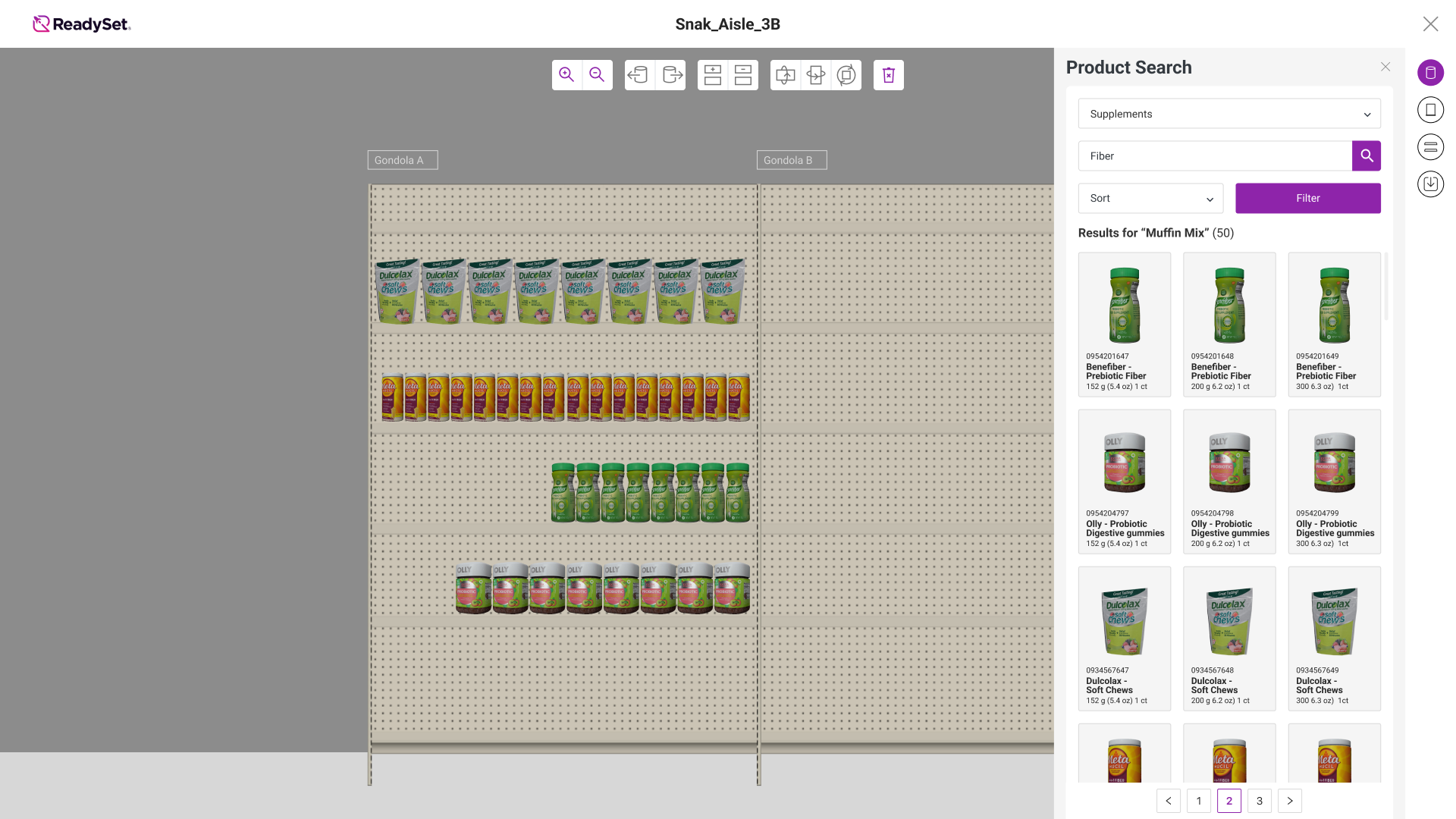
One system covered color, type, components, iconography, information architecture, layout and navigation across every product. The Fixture Library you open in VR uses the same panels, tabs and product cards as the desktop library. I tested every component in the headset, because reading in VR is different: text and icons have to be bigger, but not so big they crowd the view.
One system across screen and headset, with every component tested in VR so it stays legible.
The rest of the suite
Takeaways
- Context beats more controls. Showing options only where they apply is progressive disclosure, my favorite tool for simplifying a complex interaction. Show options only where they apply.
- Icons read better than words in VR. An icon says at a glance what a label takes many words to explain, so I leaned into iconography across the suite. An icon says at a glance what a label takes many words to explain.
- Know how much your users will learn. ReadySet's power users used the tools every day, so I could explain less and keep the interface lean.